Reference
Pickleball API Data Coverage Explained: Fixtures, Standings, Markets and More
24 April 2026 · 7 min read
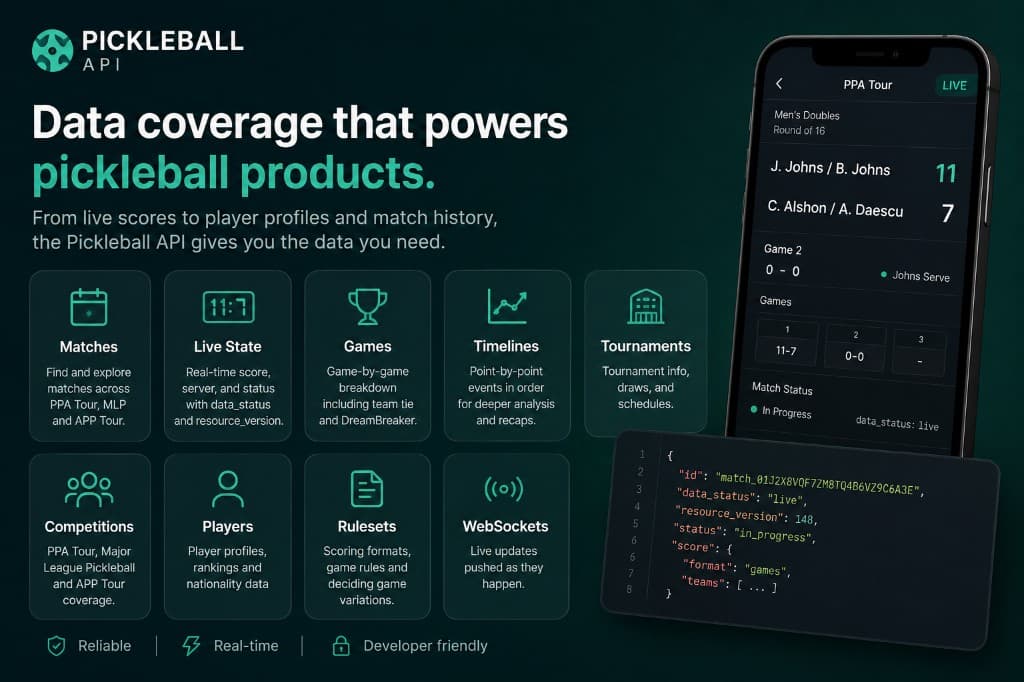
Before choosing a sports API, you need to know exactly what data it provides—not just whether it has "live scores".
Pickleball-API.com covers the core information needed to build scoreboards, alerts, trading tools, research projects and fan applications for Major League Pickleball: fixtures, lineup matches, live observations, game-by-game results, standings, teams, players, verified prediction markets and live WebSocket updates.
Here is what each part of the API contains and when you might use it.
Data available through Pickleball API
The main data types are:
- Competitions, seasons, events and venues
- Teams, rosters and players
- Fixtures and lineup matches
- Live observations and games
- Domain events
- Standings snapshots
- Prediction markets
- Live WebSocket updates
- Account usage
Coverage is Major League Pickleball, exclusively, for now — we would rather model one tour richly than several tours shallowly.
Fixtures and lineup matches
Fixtures are the starting point for most integrations.
GET /v1/fixturesGET /v1/fixtures/{id}GET /v1/fixtures/{id}/matches
An MLP fixture (sometimes called a "tie") is two teams meeting across several individual lineup matches — women's doubles, men's doubles and mixed doubles, then a singles DreamBreaker if required. The fixture object carries two sides, each with a team and a running matches_won count; its member matches carry a category (mens_doubles, womens_doubles, mixed_doubles, singles) and a lineup_slot/lineup_sequence pair describing where they sit within the fixture.
You can use fixtures to build:
- Upcoming and recent fixture pages
- Event schedules
- Results listings
- "Live now" sections
- Fixture scoreboards showing both the current game and overall lineup progress
To return only fixtures currently in progress, use:
GET /v1/fixtures?status=in_progress
The endpoint also supports cursor pagination, allowing your application to work through larger result sets without requesting everything at once.
For a first integration, start by listing a few fixtures and then use the returned ID to request more detail.
Live observations and games
The live endpoint returns the current scoreboard for every match in a fixture:
GET /v1/fixtures/{id}/live
For one match specifically, the observation history is available in full:
GET /v1/matches/{id}/observations
An observation is a score tick with a monotonically increasing sequence, rather than a single mutable "current state" row — that makes the observations endpoint genuine queryable history, not just a snapshot.
Two response fields are particularly important, and they ride along on every response as part of meta, not just live ones.
freshness_seconds and completeness
meta.freshness_seconds reports how long ago the underlying data was observed. meta.completeness is full or partial — for example, a fixture created by live scoring before its catalogue metadata has fully resolved.
Live sports feeds can occasionally slow down or stop updating. Rather than silently presenting an old score as current, the API gives your application clear signals it can display or act on. For example, you might show:
Live updates delayed—showing the latest available score.
sequence
Every observation's sequence increases monotonically for its match. Your application can use it to:
- Keep updates in the correct order
- Ignore duplicates
- Prevent older data replacing newer data
- Compare REST and WebSocket updates
- Detect a gap and know when to resync
For a game-by-game view of a match, use GET /v1/matches/{id}/games. This is particularly useful in Major League Pickleball, where a fixture contains several matches and games, and may progress to a DreamBreaker.
Domain events
Alongside observations, GET /v1/matches/{id}/events returns the lifecycle log for a match — transitions such as a match starting, a game completing or a match finishing. Observations tell you where the score is now; domain events explain the shape of how the match progressed.
Catalogue: competitions, seasons, events, venues
Catalogue endpoints provide the structure around fixtures:
GET /v1/competitionsGET /v1/seasonsGET /v1/eventsGET /v1/venues/{id}
This data can be used to group fixtures and results into a clear event page rather than displaying every fixture as an isolated record — event landing pages, schedules, live-event dashboards, results archives and navigation between related fixtures. Catalogue information changes less frequently than a live score, so it is a good candidate for server-side caching.
Teams, rosters and players
Team and player endpoints provide the reference information used to identify competitors:
GET /v1/teamsandGET /v1/teams/{id}GET /v1/teams/{id}/roster?event_id=GET /v1/playersandGET /v1/players/{id}
This can support team/player pages, search and selection tools, fixture-side labels, results histories, fantasy or prediction products and internal data linking. Team and player information is relatively stable compared with live observations, so it should normally be requested when needed and cached by your application.
Standings
Standings endpoints return computed season and event standings as snapshots over time:
GET /v1/events/{id}/standings/latestand/standings/historyGET /v1/seasons/{id}/standings/latestand/standings/history
Use the latest snapshot for a live leaderboard, and the history for tracking how standings shifted across a season.
Prediction markets
Pro plans (and the trial) also get verified prediction-market data — current price, best bid/ask and spread for each outcome of a market linked to a fixture:
GET /v1/fixtures/{id}/marketsGET /v1/fixtures/{id}/market-context(fixture + markets with independent freshness clocks)
Only markets our data provider has verified as matching a real fixture are ever returned. This data is sourced and verified for informational and analytical use — it is not an official settlement source for betting, contests or financial instruments.
Live WebSocket updates
REST gives you the complete state of a resource when you request it. The WebSocket feed sends live changes automatically.
The live feed is available on Pro and during the free trial. Useful subscription topics include:
fixtures.livefor every match currently in progressfixture.<fixture_id>andmatch.<match_id>for one fixture or matchmarkets.<fixture_id>for a fixture's prediction-market prices
When you subscribe, the service sends a complete snapshot first. Subsequent changes arrive as update messages such as match.observation, market.price_changed and market.book_changed.
This is useful for live scoreboards, fixture alerts, trading dashboards, second-screen experiences and products following several active fixtures at once.
REST and WebSockets are designed to work together. REST loads or restores the complete state, while WebSockets keep it current between those requests.
For a fuller comparison, read REST or WebSockets for Live Pickleball Data?.
Account usage
You can check your current plan consumption through:
GET /v1/usage
This reports usage against the limits attached to your account, including REST requests, WebSocket allowances and whether your plan includes markets. Displaying this information in your own internal dashboard can help you identify inefficient polling or unexpected traffic before a limit is reached.
Basic and Pro plans have hard limits. Reaching a limit returns a clear quota error rather than creating automatic overage charges.
Historical availability
Historical fixture and match data begins from the service launch date and grows as new fixtures are recorded. The amount available to an account depends on its plan's historyDays entitlement — Basic includes up to 90 days, Pro up to 365 days, and Enterprise retention can be negotiated.
This means the historical archive will become more valuable over time. It is suitable for product features and analysis within the available retention window, but it should not initially be presented as a complete record of every MLP fixture ever played.
What the API does not currently include
Pickleball-API.com deliberately focuses on the Major League Pickleball catalogue, scores, standings, verified prediction-market context and the supporting reference data needed to use them.
It does not currently provide:
- Coverage of tours other than Major League Pickleball
- Bookmaker odds or official settlement data (prediction-market prices are available as analytical context)
- Video or live streams
- Fantasy-game software
- Native mobile applications
- A GraphQL API
- A complete pre-launch historical archive
Raw-feed redistribution is also not included with self-service plans. If your product needs to resell or pass the underlying feed to third parties, that requires an Enterprise licence.
Sports data is provided for informational and analytical purposes; prediction-market data is verified by our provider but is not an official settlement source for betting, contests or financial instruments.
Which endpoints should you try first?
Most integrations can begin with three requests:
GET /v1/fixtures?status=in_progressGET /v1/fixtures/{id}GET /v1/fixtures/{id}/live
Together, these let you discover an active fixture, retrieve its details, and display its latest scoreboard state.
From there, add /matches and /games for a fuller score breakdown, /observations and /events for history, standings for leaderboards, markets for prediction-market context, and WebSockets when you need automatic live updates.
For a step-by-step walkthrough, read Getting Started With the Pickleball API in 5 Minutes.
Full documentation
The API documentation contains the available endpoints, authentication instructions, response formats, error behaviour, pagination, caching and WebSocket protocol.
Start with the smallest set of data your product needs. You can always add standings, markets, player pages or live subscriptions once the basic fixture flow is working.
More from the blog
- What Can You Build With a Pickleball API? 7 Practical Product Ideas
21 July 2026 · 7 min read
- Pickleball API Performance and Reliability: Building a Better Live-Score Integration
20 June 2026 · 8 min read
- REST or WebSockets for Live Pickleball Data? How to Choose
27 May 2026 · 7 min read