Architecture
REST or WebSockets for Live Pickleball Data? How to Choose
27 May 2026 · 7 min read
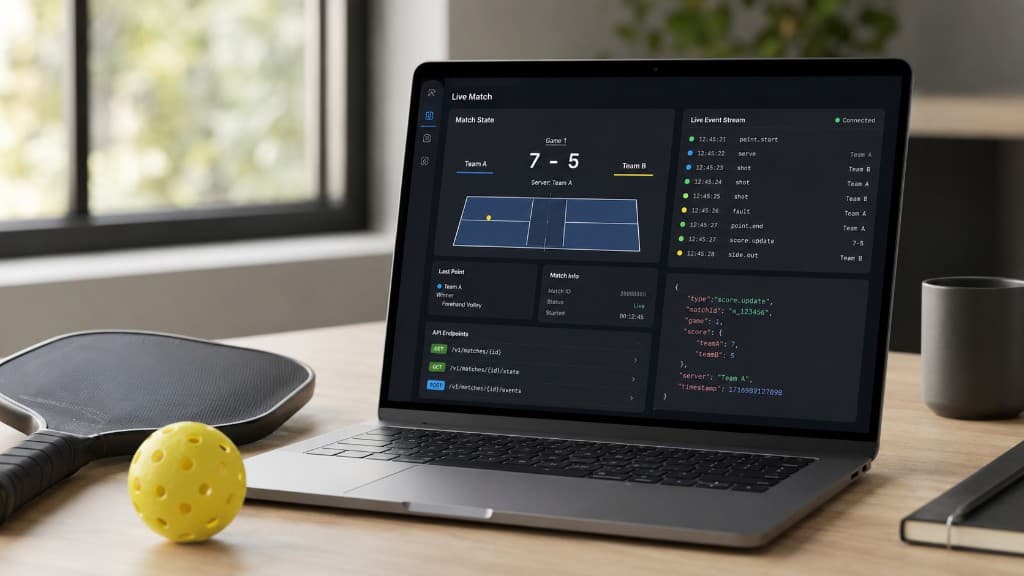
A useful rule of thumb is this: use REST when your application needs to ask for information, and use WebSockets when it needs to hear about changes as they happen.
That sounds simple, but live sports products rarely fit neatly into one category. A scoreboard needs an initial score before it can display anything. A fixture-alert service needs to know which fixtures exist before it can listen for updates. A trading dashboard may need live observations alongside historical results and prediction-market prices.
In practice, the best pickleball applications usually use REST and WebSockets together. The question is not which technology should power your whole product, but which one is right for each part of it.
Here is how the two options work in Pickleball-API.com and how to choose between them.
How REST works
REST follows a request-and-response model.
Your application asks the API for a resource, the API returns a JSON response, and that request is complete.
For example, you might request fixtures currently in progress:
GET /v1/fixtures?status=in_progress
Authorization: Bearer pbl_live_YOUR_KEY
Or retrieve the latest scoreboard state for a fixture's matches:
GET /v1/fixtures/{id}/live
Authorization: Bearer pbl_live_YOUR_KEY
REST is well suited to information your application needs at a particular moment. It works naturally when a page loads, when a user opens a fixture, or when a scheduled job imports historical results.
It is also straightforward to test. You can make a request with curl, inspect the returned JSON and begin building without first managing a persistent connection.
How WebSockets work
A WebSocket keeps one connection open between your server and Pickleball API.
Instead of repeatedly asking whether a score has changed, your application subscribes to the information it wants and receives updates automatically.
A typical connection works like this:
- Your application opens a WebSocket connection.
- The service sends
connection.ready. - Your application subscribes to one or more topics.
- The service responds with
subscription.ack. - Your application receives a complete snapshot per topic.
- Further changes arrive as
match.observation(and, if entitled, market) messages.
You can subscribe to every match currently in progress:
fixtures.live
Or follow one fixture, one match, or a fixture's prediction markets:
fixture.<fixture_id>
match.<match_id>
markets.<fixture_id>
The initial snapshot gives you the full current state. Later messages contain changes that keep that state up to date.
WebSockets are available during the trial and on the Pro plan.
When REST is the better choice
REST is usually right when the information changes occasionally, when the user has explicitly requested it, or when receiving an update a few seconds later would make little difference.
Finding live fixtures
Your application needs a way to discover which fixtures are currently taking place.
That does not require a new request every second. For most products, requesting the in-progress list once every 60 seconds while an event is running is enough:
GET /v1/fixtures?status=in_progress
Once a fixture appears, you can retrieve its details or begin following its live state.
Catalogue and structural information
Competitions, seasons, events, venues, teams, rosters and fixture/match structure do not normally change rally by rally. REST is the natural choice for endpoints such as:
GET /v1/events/{id}GET /v1/fixtures/{id}andGET /v1/fixtures/{id}/matchesGET /v1/teams/{id}andGET /v1/teams/{id}/rosterGET /v1/competitions
These resources can often be cached for longer than a live score. Which lineup matches belong to a fixture, and in what order—is exactly the kind of structural information that does not need a live connection: it settles once the lineup is known and rarely if ever changes afterwards, while the underlying observations keep changing throughout.
Standings and prediction markets
Standings snapshots and prediction-market context are also good REST candidates when you only need the latest figure rather than every tick:
GET /v1/events/{id}/standings/latestGET /v1/fixtures/{id}/markets(Pro / markets entitlement)
Match history and observations
Once a match has finished, its results no longer need a persistent live connection.
REST can provide the full observation time series and game-by-game breakdown:
GET /v1/matches/{id}/observationsGET /v1/matches/{id}/games
These endpoints are useful for results pages, match recaps, research tools and historical analysis.
Usage and account tools
Your current allowance is another good example of information that can be requested when needed:
GET /v1/usage
There is no benefit in opening a live connection simply to show an occasional usage update in a dashboard.
When WebSockets are the better choice
WebSockets become useful when the value of your product depends on receiving changes promptly.
Live scoreboards
A scoreboard that refreshes only when the visitor reloads the page does not feel live.
You could poll the live endpoint every few seconds, but that means making many requests that return an unchanged score. A WebSocket connection can instead send the update when the score actually changes.
Your server receives the event, updates its cached state and passes the new score to everyone viewing the fixture.
Trading and market dashboards
Trading tools often follow several fixtures while comparing the sports data with linked prediction-market prices.
Constant polling creates an awkward choice: request frequently and consume more of your allowance, or request less often and risk displaying an older state.
A WebSocket removes much of that trade-off. Score and price changes arrive automatically, while meta.freshness_seconds (and, for markets, market_freshness_seconds) tells your application how current each stream actually is.
Pickleball API can support analytical and trading workflows, but its data — including prediction-market prices — is not an official settlement source for betting, contests or financial instruments.
Match alerts
WebSockets work well for products that notify users when something changes.
Your application could react to live updates and send an alert when:
- A score changes
- A game finishes
- A fixture reaches a deciding lineup match
- A market price crosses a threshold
- A fixture ends
The WebSocket does not send an email or mobile notification itself. It gives your application the live event that triggers your chosen notification system.
Products following several active fixtures
Polling becomes increasingly inefficient as the number of fixtures grows.
If your application follows one fixture every 15 seconds, the request volume may be manageable. If it follows many simultaneous fixtures at the same interval, those requests add up quickly.
A Pro connection can subscribe to multiple topics and receive changes across those fixtures without maintaining a separate polling loop for each one.
REST can still work for a live product
Using REST does not mean your product cannot display live information.
For a smaller scoreboard, prototype or research tool, polling GET /v1/fixtures/{id}/live every 10–15 seconds — for fixtures someone is actually watching — may be entirely reasonable.
A sensible REST-only pattern is:
- Check the in-progress fixture list about once per minute.
- Fetch fixture/match metadata when a fixture first appears.
- Poll
/livefor actively followed fixtures every 10–15 seconds. - Fetch observations, games or market context only when the relevant view is opened.
- Cache everything on your server.
For many small projects, that is enough.
Most production applications should use both
REST and WebSockets solve different parts of the same problem.
REST gives you complete resources. WebSockets give you live changes.
A resilient live-score application might work like this:
- Request
GET /v1/fixtures?status=in_progressto discover active fixtures. - Retrieve
/v1/fixtures/{id}/livefor the complete starting score. - Store that state in your own cache.
- Open one server-side WebSocket connection.
- Subscribe to the relevant fixture/match topics.
- Apply incoming updates to the cached state.
- Serve your users from that cache.
- Return to REST whenever the live state needs to be refreshed.
This approach gives you the simplicity of REST on first load and the efficiency of WebSockets once the fixture is underway.
Use sequence to order updates
Every observation carries a sequence that increases monotonically for its match. Your application can use it to decide whether an incoming update is newer than the state it already holds.
Imagine that your cached observation is sequence 148.
If sequence 149 arrives, apply it. If sequence 147 arrives afterwards, ignore it. The older message should not move your scoreboard backwards.
The sequence can also help you:
- Ignore duplicate updates
- Compare a WebSocket message with a REST response
- Detect a possible gap
- Resume from a known state after reconnecting
Do not assume that messages will always be processed perfectly simply because they were sent over one connection. Build explicit ordering into your client.
Recover with REST when needed
WebSocket connections are persistent, but they are not permanent.
Networks change, application servers restart and connections occasionally close. A production client needs to expect this.
The feed may also send:
resync_required
This means your application should no longer assume that its local sequence of updates is complete.
When that happens:
- Request the full current state through REST.
- Replace the locally cached version.
- Record the returned
sequence. - Continue processing live updates.
REST is therefore not merely a fallback for customers without WebSocket access. It is also the recovery mechanism that keeps a WebSocket integration trustworthy.
Keep your API key off the browser
REST requests should normally be made by your server rather than directly by public browser code.
The same principle applies to WebSocket authentication. Server-side clients can authenticate the connection using the API key as a Bearer token.
Browsers cannot normally add a custom Authorization header to the WebSocket upgrade request. Instead, your server can create a short-lived ticket:
POST /v1/realtime/tickets
The browser uses that single-use ticket to open its connection. The permanent API key remains on your server.
Tickets expire after 60 seconds and are consumed when used.
This is safer than including the account key in JavaScript that every visitor can inspect.
One connection should serve many users
Avoid opening a new upstream WebSocket connection for every person viewing your product.
A better pattern is:
- Your application server opens one connection to Pickleball API.
- It subscribes to the fixtures your product needs.
- It stores the latest state.
- It distributes that state to your own users.
Your users might receive updates through your own WebSocket, Server-Sent Events connection or another application channel.
This keeps your upstream connection count low and allows one live feed to support many visitors.
Common mistakes to avoid
Polling every second
More frequent polling does not guarantee fresher source data. It often just returns the same response more often.
Begin with a 10–15 second interval and move to WebSockets when that is not responsive enough.
Using WebSockets for static resources
Team, player and competition details do not need a persistent subscription. REST is simpler and easier to cache.
Treating deltas as complete state
A match.observation message is an update, not necessarily a replacement for everything your application knows about the match.
Begin with a snapshot or REST state, then apply changes to it.
Ignoring freshness
A successful response does not automatically mean the underlying feed is current.
Use meta.freshness_seconds and meta.completeness to judge how current the data actually is.
Failing to reconnect
A WebSocket client that works only while the original connection remains open is not ready for production.
Handle heartbeats, closure, reconnection and clean resynchronisation from the beginning.
Which should you choose?
Choose REST when:
- The resource changes infrequently
- A user requests the information on demand
- A delay of several seconds is acceptable
- The response can be cached
- You are building your first integration
- You only need a small REST-based scoreboard
Choose WebSockets when:
- Score or market-price changes need to appear automatically
- Your application follows several live fixtures
- Polling would consume unnecessary requests
- You are building alerts or live dashboards
- Users expect the page to remain current without refreshing
Use both when you are building a production live-data product.
REST should load and restore the complete state. WebSockets should keep it current between those loads.
Getting started
Begin with REST even if you expect to use WebSockets later.
Make a request to the in-progress fixtures endpoint, choose one fixture and retrieve its live state. This will show you the structure of the data and give you something concrete to render.
Once that works, open a WebSocket connection and subscribe to the same fixture. Apply the incoming updates to the state you already have.
That small exercise covers the architecture used by most of the live products you can build with Pickleball-API.com.
Read the API documentation, explore the performance and reliability guide, or start your 14-day Pro trial.
More from the blog
- What Can You Build With a Pickleball API? 7 Practical Product Ideas
21 July 2026 · 7 min read
- Pickleball API Performance and Reliability: Building a Better Live-Score Integration
20 June 2026 · 8 min read
- Getting Started With the Pickleball API in 5 Minutes
18 May 2026 · 5 min read