Performance
Pickleball API Performance and Reliability: Building a Better Live-Score Integration
20 June 2026 · 8 min read
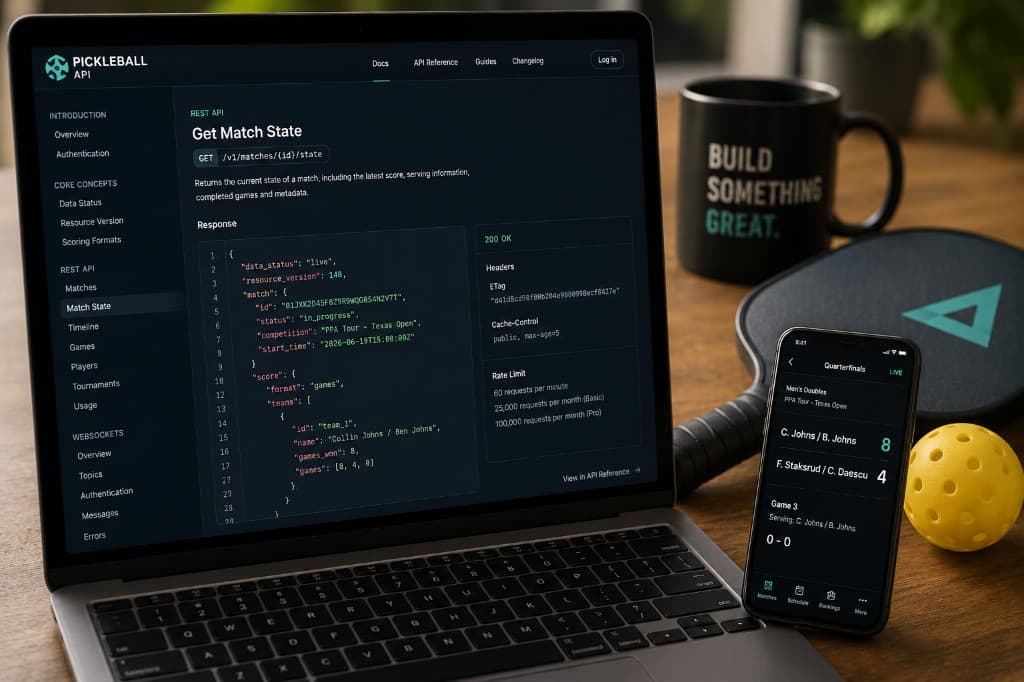
When you build with live sports data, a fast API response is only part of the story.
Your application also needs to know whether a score is current, whether an update has arrived out of order and what to do when a live connection is interrupted. These details matter whether you are building a scoreboard, an alerting service, a trading dashboard or a second-screen experience for fans.
Pickleball-API.com is designed around both REST and WebSockets. REST gives you a dependable way to retrieve current state and historical data. WebSockets send live changes without requiring your application to poll constantly.
Here is how to use both effectively—and how to make your integration more resilient when live sport does not go perfectly to plan.
API response time and data freshness are different things
It is easy to describe an API as "fast" without being clear about what that means.
There are really two separate questions:
- How quickly does the API respond to your request?
- How recently did the underlying fixture or match data change?
The first is about request performance. The second is about data freshness.
A REST endpoint could respond immediately while returning the most recent observation received from a delayed source feed. The request itself was fast, but the score may not be fully current.
That is why every response carries meta.freshness_seconds — how long ago the underlying data was observed — and meta.completeness (full or partial) rather than asking your application to infer it.
This gives your application something concrete to work with. A scoreboard can show a "data is X seconds old" indicator, while a trading tool can pause an automated action once freshness_seconds climbs past a threshold it cares about.
Start with the REST API
REST is the simplest way to begin an integration. The main endpoints for following a live event are:
GET /v1/fixtures?status=in_progressto list fixtures currently being playedGET /v1/fixtures/{id}for a fixture's sides and lifecycleGET /v1/fixtures/{id}/matchesfor the lineup matches within itGET /v1/fixtures/{id}/livefor the latest observation per match — the scoreboard viewGET /v1/matches/{id}/observationsfor the full retained observation time seriesGET /v1/matches/{id}/gamesfor the game-by-game breakdown
All authenticated REST requests use your API key as a Bearer token:
Authorization: Bearer pbl_live_YOUR_KEY
Keep that key on your server or in a secure environment variable. Do not commit it to a public repository or include it directly in client-side code.
Do not request everything on every page view
The quickest way to waste API requests is to connect every visitor directly to the upstream service.
A better architecture is:
- Your server requests the latest data from Pickleball API.
- It stores that response in a cache or database.
- Your website or app serves users from the cached copy.
- The server refreshes the data when appropriate.
This means one API request can support many users, and a response served from your own cache will usually reach visitors faster than a fresh request each time a page loads.
Some resources can be cached longer than others. Competitions, teams, players and completed fixtures generally change far less often than an active scoreboard. List responses set Cache-Control: private, max-age=5 to help you coalesce bursts of reads safely.
Poll the list and the live endpoints on very different schedules
This is the single most common quota mistake. GET /v1/fixtures?status=in_progress is a full snapshot of every in-progress fixture — poll it at most once every 60 seconds, and only while an event is actually running.
Reserve 10–15 second polling for GET /v1/fixtures/{id}/live, and only for the specific fixtures a viewer is actively watching. On the Basic plan, that split is enough to comfortably follow a full event month within the monthly REST allowance.
Use WebSockets when polling is no longer enough
Polling is perfectly suitable for many applications. But if your product needs updates to appear automatically, the WebSocket feed included with Pro and the free trial is a better fit.
A typical WebSocket session follows this pattern:
- Connect to
wss://pickleball-api.com/v1/live. - Wait for
connection.ready. - Send a
subscribemessage for one or more topics. - Receive
subscription.ack. - Receive an initial
snapshotper topic. - Apply subsequent
match.observation(and, if entitled,market.price_changed/market.book_changed) updates.
Useful topics include fixtures.live (every in-progress match), fixture.<fixture_id>, match.<match_id> and markets.<fixture_id>. The initial snapshot matters: it gives your application a complete starting state before smaller updates begin arriving, so your client does not have to reconstruct state from an incomplete set of events.
Authenticating a WebSocket connection
Server-side applications can authenticate the WebSocket upgrade request with the same Bearer API key used for REST. Browsers are different, because browser WebSocket clients cannot normally attach a custom Authorization header to the upgrade request.
For browser-based connections, use POST /v1/realtime/tickets to create a short-lived, single-use ticket. The browser passes that ticket as a query parameter when opening the connection, without ever seeing the permanent API key. Tickets expire after 60 seconds and are consumed when used.
Keep updates in the correct order
Every observation carries a sequence that increases monotonically for a given match, and every domain event carries a platform-wide platform_sequence. Use these to order incoming updates, ignore duplicate messages, reject older updates arriving out of order, and detect gaps — more dependable than relying on the order messages happen to arrive in.
Recover cleanly when state becomes uncertain
A live connection can be interrupted for ordinary reasons — a server restart, a network change, a brief loss of connectivity. Your integration should expect this rather than treating every disconnection as exceptional.
The feed may also send resync_required, meaning your local copy may no longer contain a complete or reliable sequence of updates. When that happens:
- Request the current state from
GET /v1/fixtures/{id}/live(or/v1/matches/{id}/observations). - Replace the locally cached state.
- Record its latest
sequence. - Resume processing WebSocket updates.
Do not try to guess the missing observations. Fetching the complete current state is safer and simpler. After a full disconnection, reconnect, subscribe again and treat the new snapshot as the source of truth.
Respond to WebSocket heartbeats
The server sends a ping approximately every 25 seconds. Your client should respond with { "type": "pong", "at": "..." }. If the connection does not respond within roughly 60 seconds, it may be closed.
Documented close codes include 4401 (unauthorised), 4403 (forbidden — plan lacks the feature), 4408 (quota exceeded), 1012 (service restart) and 1013 (try again later). Your reconnect behaviour should take the close reason into account: a service restart justifies reconnecting after a short delay, while an authentication or entitlement error usually requires a configuration change instead.
Handle REST errors by their codes
REST errors use the application/problem+json format and include a stable machine-readable code: 400 invalid_request, 401 unauthorized, 403 websocket_not_entitled / 403 markets_not_entitled, 404 not_found, 429 quota_exceeded. Branch on the code, not the human-readable message.
Every response also includes a request ID. Log meta.request_id for successful calls and the corresponding request ID from error responses — it makes any support request much easier to trace.
Understand the two kinds of usage limit
Each plan has both a per-minute rate limit and a monthly allowance. Basic includes 25,000 REST requests/month at up to 60/minute, with no WebSocket or market access. Pro includes 100,000 REST requests/month at up to 120/minute, up to 3 WebSocket connections, up to 25 topics per connection, 100,000 outbound WebSocket messages/month, and prediction-market access. Missed WebSocket messages are recovered from an authoritative REST snapshot before resubscribing; downstream replay is not currently offered.
These are hard caps — reaching one returns 429 quota_exceeded rather than an automatic overage charge. Check current consumption at any time with GET /v1/usage.
Frequently asked questions
Should I use REST or WebSockets?
Use REST for fixture lists, initial page loads, current state, observation history and reference data. Use WebSockets when changes need to arrive automatically while a fixture is in progress. Many applications should use both.
How often should I poll a live fixture?
60 seconds for the in-progress list, 10–15 seconds for /live on fixtures someone is actively watching — never the other way around.
Can I connect directly from a browser?
Yes, but do not expose your permanent API key. Create a short-lived ticket with POST /v1/realtime/tickets and use that to authenticate the browser's WebSocket connection.
What happens if I miss an update?
The service may send resync_required. Fetch the complete current state through REST and continue from the returned sequence.
How do I know whether a score is current?
Check meta.freshness_seconds and meta.completeness on the response.
Build for recovery, not just the happy path
A good live-data integration is not one that assumes nothing will ever go wrong. It is one that continues behaving sensibly when a feed is delayed, an update arrives twice or a connection has to restart.
Pickleball API gives you the pieces needed to handle those situations: freshness and completeness metadata, monotonic sequences for ordering, snapshots and deltas for live streaming, resync_required for clean recovery, and stable error codes with request IDs for diagnosis.
Start with REST, add WebSockets when your product needs them and keep a complete cached state inside your own application.
More from the blog
- What Can You Build With a Pickleball API? 7 Practical Product Ideas
21 July 2026 · 7 min read
- REST or WebSockets for Live Pickleball Data? How to Choose
27 May 2026 · 7 min read
- Getting Started With the Pickleball API in 5 Minutes
18 May 2026 · 5 min read